Twelve SAP GUI transactions, three per master object, written in the late nineties. One agent, two MCP servers, no line of code written by hand. What came out is not the same application in a new frame. It is a better one, because the decisions were taken from the whole picture of the system, not from one program at a time. This is the walk-through, with the evidence.
The starting point
The legacy application manages flights, bookings, customers and travel agencies. Twelve module pools carry it: for every master object one transaction to display, one to change, one to create. Each of them has its own screens, its own field checks and its own copy of the rules. A nightly check run repairs what the dialogs failed to validate during the day.
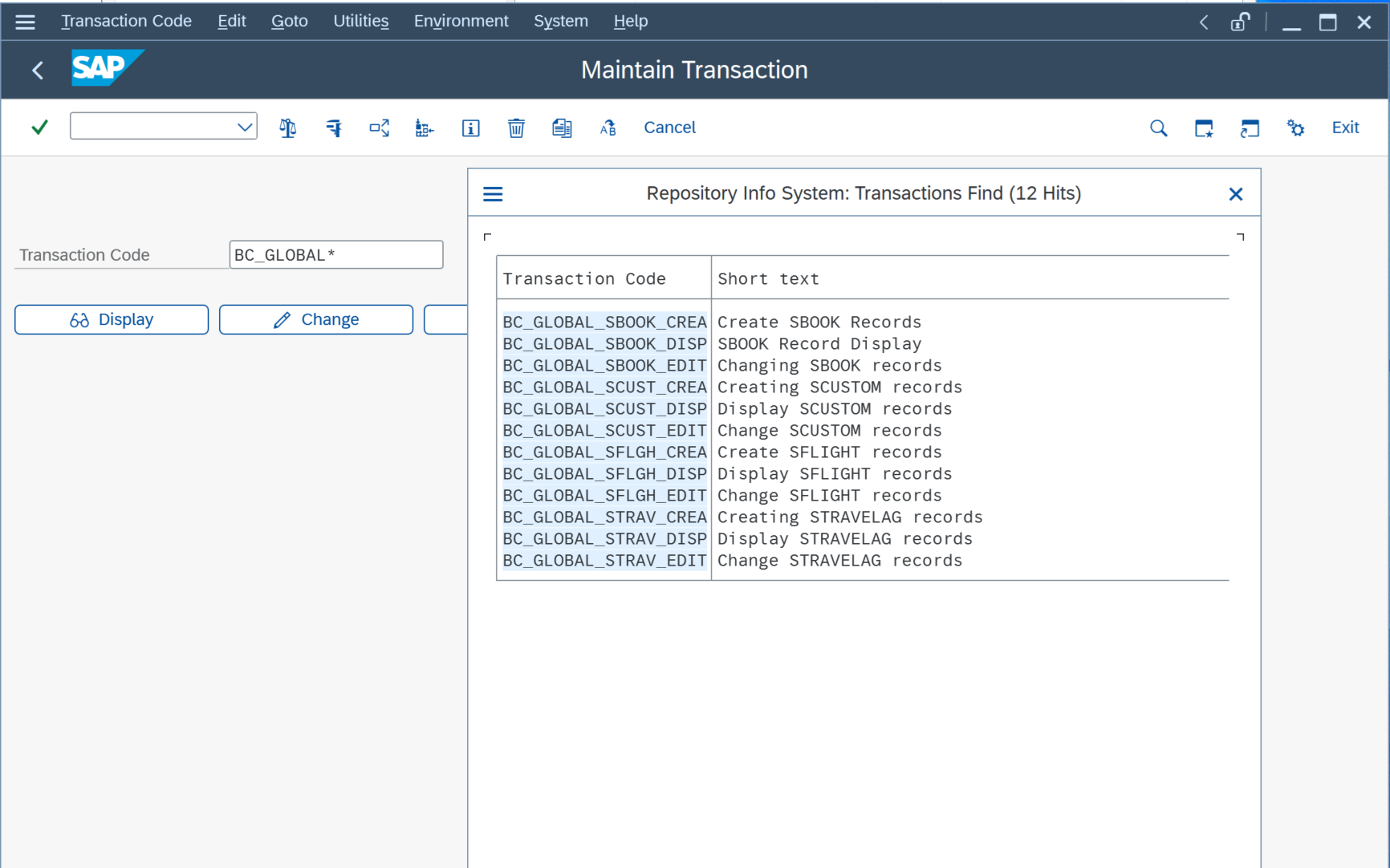
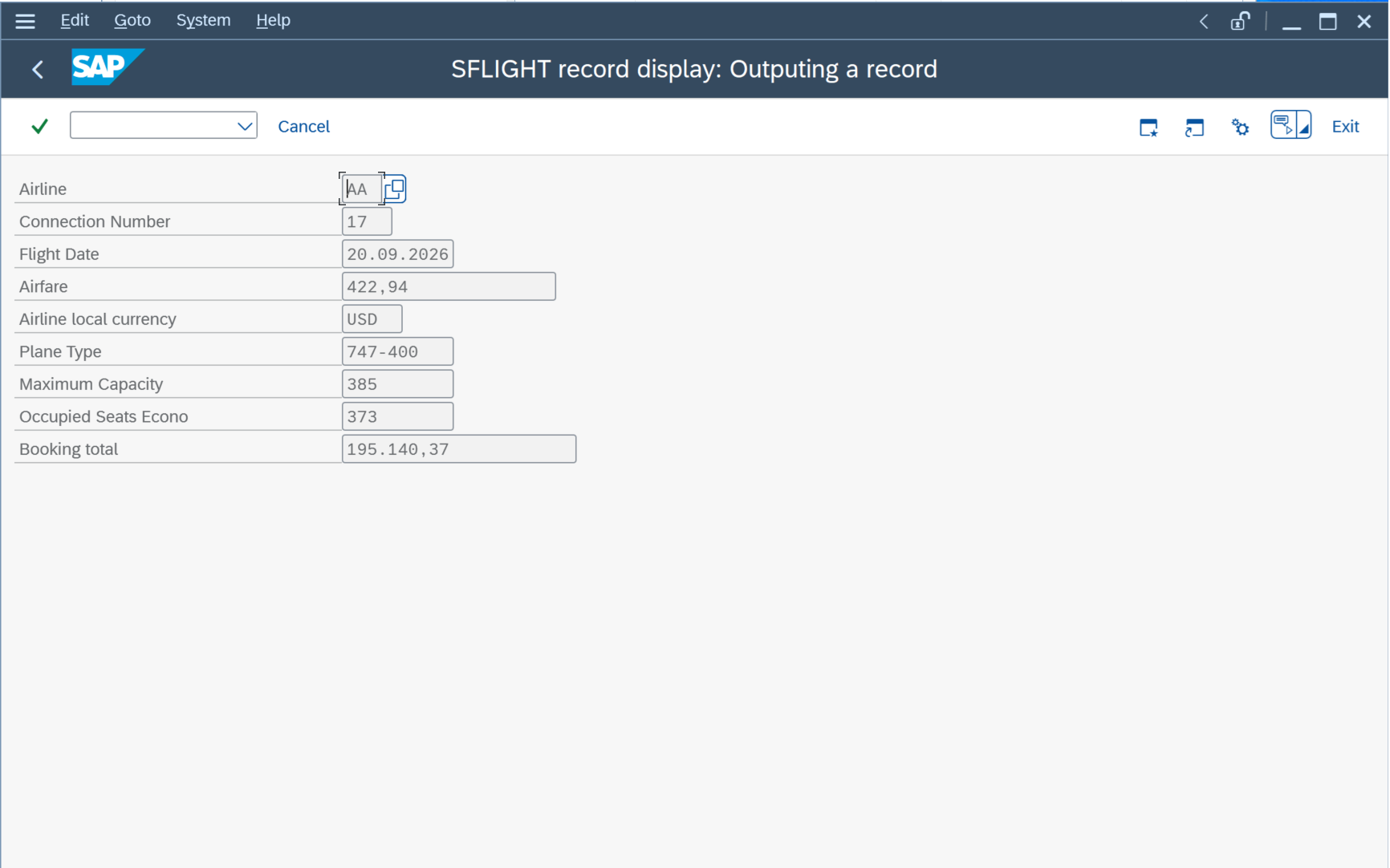
A migration that reads these programs one by one and rebuilds them one by one ends with twelve Fiori apps that repeat the same mistakes in a new framework. The interesting part happens before anything is built.
What the whole picture showed
Before the agent wrote anything, it read the knowledge graph of the system through Sysparency MCP server: which programs exist, which tables they write, who calls whom, how often each transaction runs, and what the business rules are. Three findings changed the design.
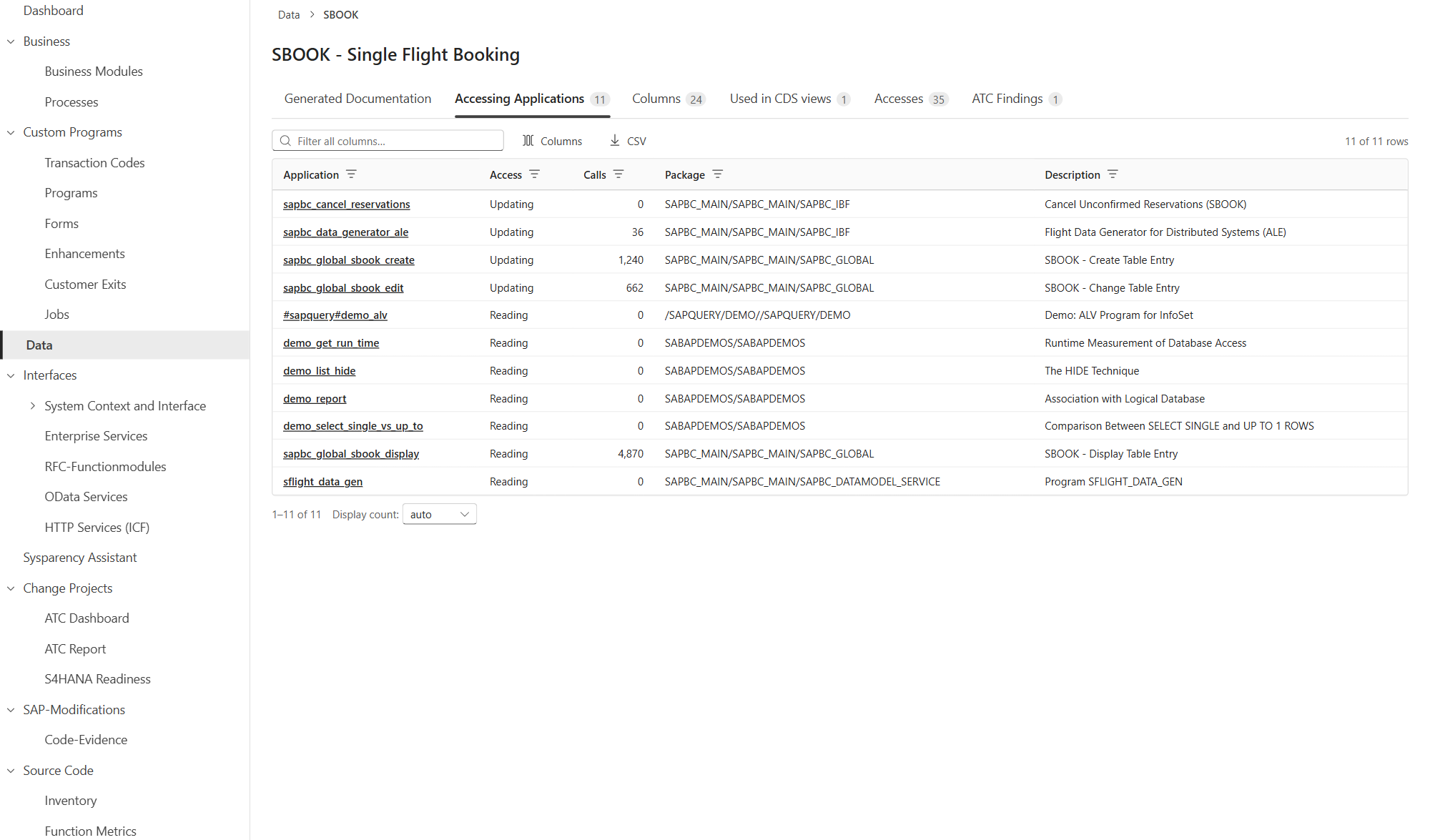
The dialogs are not the only writers to the booking table. The graph lists eleven applications that access SBOOK. Besides the three dialog programs, the function group SAPBC_GLOBAL_FIS inserts and updates, the BAPI group SAPBC_BAPI_SBOOK updates, and the ALE generator SAPBC_DATA_GENERATOR_ALE deletes. Thirty-five RFC-enabled function modules sit on the same tables. A new app that only replaces the dialogs would be one more writer among many.
A nightly check run repairs what the entry point fails to validate. The graph holds a check program with usage 0 that reads the three master tables, and an ATC finding of priority 1, a missing authorization check, on the edit dialog. The rules themselves live in the function module SAPBC_GLOBAL_BOOK: invalid customer, invalid travel agency, invalid class, flight booked out.
73 percent of all calls are display only. The usage counters per transaction show 4,870 display calls against 158 edits by travel agencies. The application is read far more than it is written.
How the agent worked
The agent had two tools. Sysparency MCP server answers questions about the existing system with cited facts: graph queries, semantic search over the business descriptions, the source of a program, the fields of a screen. SAP ADT MCP server creates, changes and activates objects in the target system. The loop is always the same: ask the graph, decide, build, check.
For the new system it created four RAP business objects with CDS views, behaviour definitions and behaviour implementations, one OData V4 service, three Fiori Elements apps for flights and bookings, customers and travel agencies, an analytics dashboard and the launchpad that holds them. Every object was generated and activated through ADT. The people involved reviewed and decided; nobody typed ABAP.
What was built differently
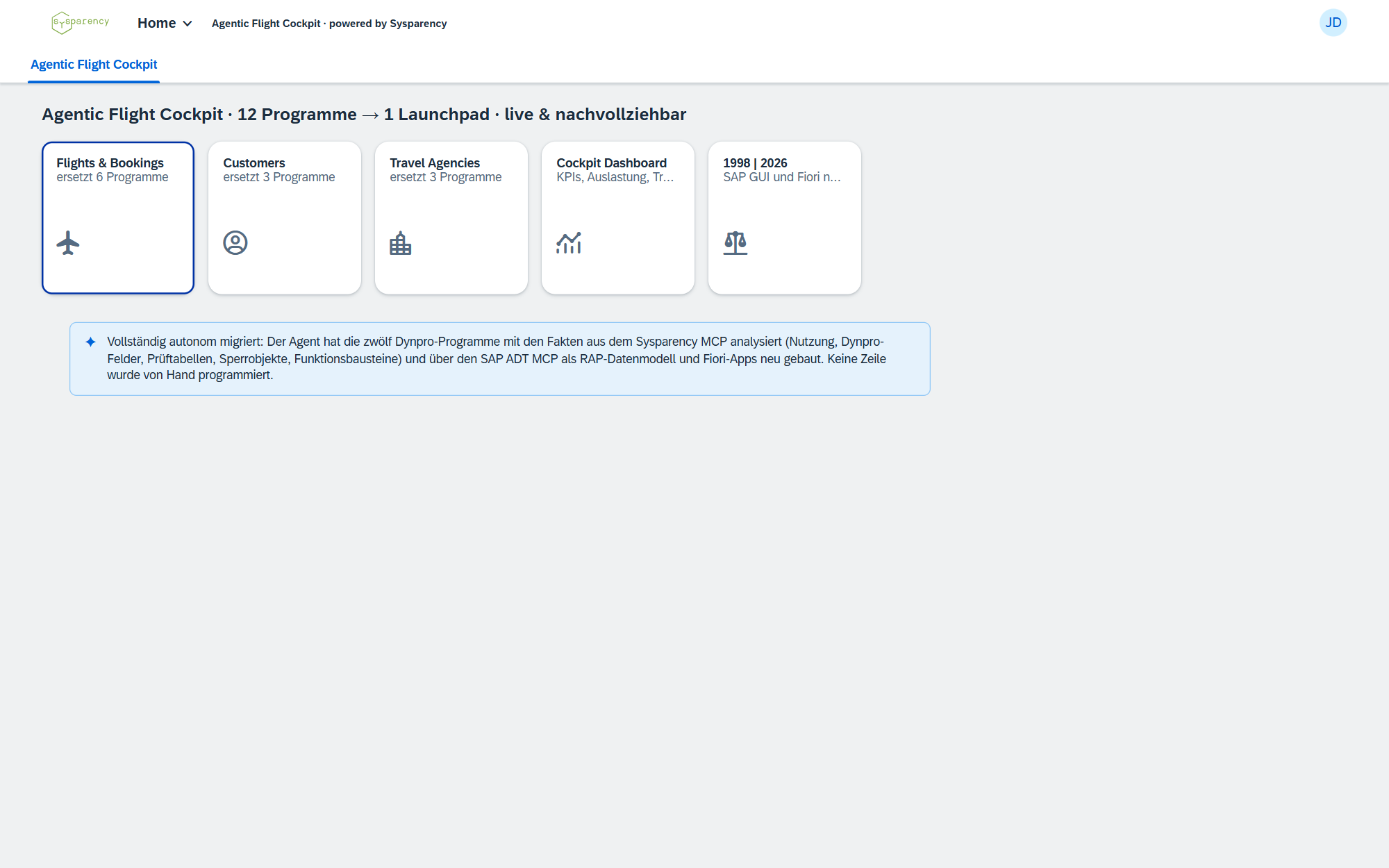
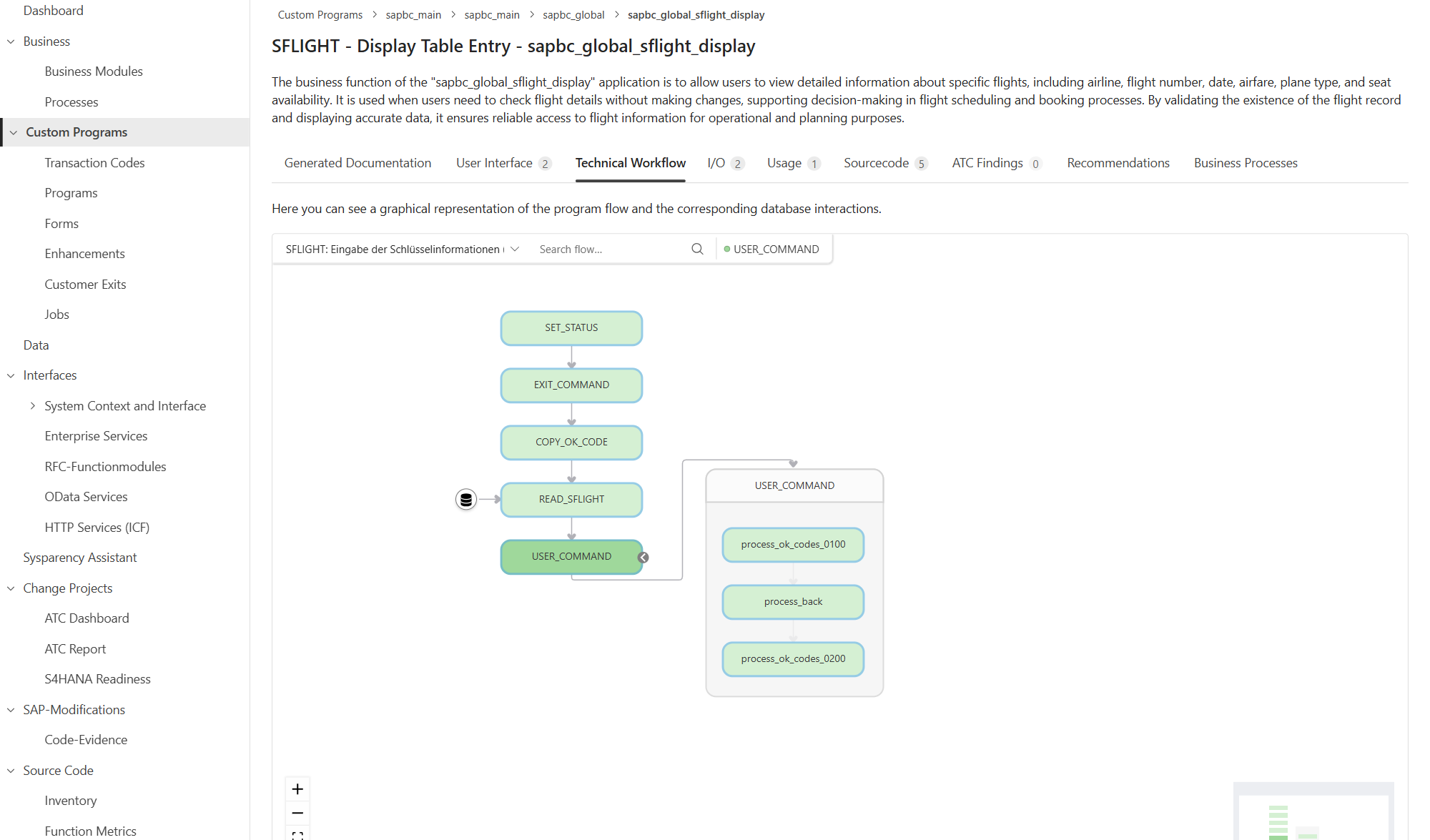
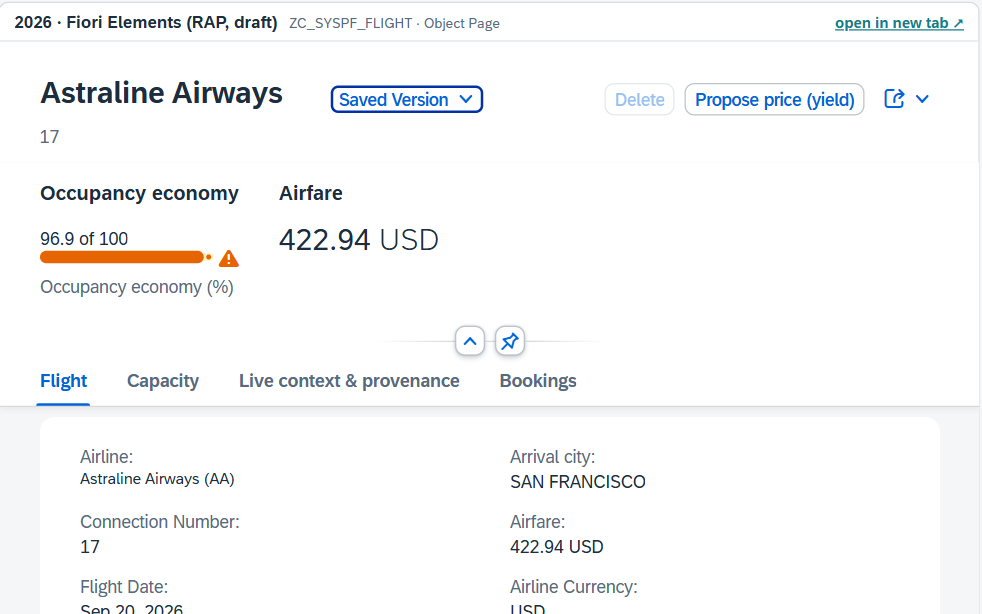
Rules once, in the data model. The seven checks that used to be scattered across twelve programs and a nightly run now fire on save, inside the business objects: connection exists, flight date is valid, capacity is not exceeded, customer exists, travel agency exists, class is valid, seats are available. The check run, which the graph shows with usage 0, is reduced to a monitoring report until the remaining direct writers go through the business objects.
One click path instead of three transactions. A booking is created, changed and displayed on one object page. Read mode is the default, because that is what 73 percent of the calls do; editing is a deliberate step.
One field less. The obsolete smoker flag, still carried by the old screens, is gone from the new interface. The database column stays until the next step.
Four analytics that never existed. Flights, seats and revenue per airline, bookings by class and cancellation, a ranking of travel agencies, and a booking trend, all as CDS analytics on the same tables.
Dynpro to Fiori: patterns, not screens
The question people ask is "how do I migrate a Dynpro to Fiori" or "how does a selection screen become UI5". The honest answer is that a screen-by-screen conversion is the wrong unit of work. SAP's Fiori design guidelines start from the user's task and role, not from the existing screen, and Fiori Elements generate the interface from annotations on the data model. What gets mapped is the pattern behind a Dynpro mechanism, not the field on the screen. This is what the twelve transactions turned into:
| Dynpro pattern | Became | Why this is not one-to-one |
|---|---|---|
| Three transactions per object: display, change, create | One object page with RAP draft | A mode instead of a program; read is the default |
| Selection screen with SELECT-OPTIONS | Filter bar of the list report, from CDS annotations | No flow logic left to maintain |
| ALV list | List report table | Sorting, filtering and export come for free |
| PAI checks in module pools | RAP validations on save | Once in the data model instead of once per screen |
| PBO field attributes: mandatory, read-only | Feature control and annotations | Central instead of per screen |
| Search helps, F4 | Value-help annotations on CDS views | Reusable across apps |
| AUTHORITY-CHECK inside the program | RAP authorization, global and per instance | Visible and testable instead of buried |
| Nightly run that repairs bad entries | Validations at the entry point | The rule moves to where the data comes in |
| One transaction code per object | Launchpad tile per role | Access by task, not by program |
The three modes of the old application, display, change and create, collapse into one object page because RAP draft handling keeps unsaved changes for the user; nobody writes that code any more.
When a Dynpro should stay
Not every transaction belongs in Fiori. Trained users who key in hundreds of records a day are faster on a well-built Dynpro than on an object page with draft; custom transactions keep running under S/4HANA, and SAP GUI for HTML puts them on the same launchpad. The criterion is not age but use: how often a transaction runs, who runs it and how much they type. In this application none of the four objects has that profile, 4,870 display calls against 158 edits, so all twelve went. In another system the usage counters would keep two of them alive, and the graph would say which two.
The numbers
- 12 to 4: twelve programs became four business objects behind one OData service.
- 3 to 1: three transactions per booking became one click path.
- 0 to 7: seven rules on save, instead of a nightly check run.
- 0 to 4: four analytics: KPIs, charts, ranking, trend.
What it is not
The application runs on SAP reference data on a trial system, not on a customer system. RFC, ALE and IDoc still write to the tables directly; routing them through the business objects is the documented next step, and the list of what to route already exists, because the graph produced it. The twelve GUI transactions stay callable during the transition; the usage counters decide when each of them is switched off. The rebuild took an afternoon of agent time and a few hours of human review.
What this means for your system
The lesson is not that an agent can generate ABAP. It can, and so can several tools. The lesson is where the design decisions came from: from the whole picture of the system, with every dependency, every writer, every usage counter and every rule cited to its source line. Without that picture the agent would have rebuilt twelve programs. With it, it built one application and improved the system in the same move.
Every custom system carries the same questions. Who else writes this table? What does the nightly job repair? Which of these transactions does anyone still use? Sysparency answers them from the code, for people and for agents, before the first line of the new system is generated.